Key Takeaways
- Choose a clear, memorable avatar style that matches your identity.
- Keep key colors, facial features, and visual details consistent.
- Make sure your avatar remains recognizable at small sizes.
- Adapt crops, expressions, and backgrounds for different platforms.
- Create a small set of useful variations instead of unrelated designs.
- Protect personal privacy and use images with proper permission.
- Keep the design simple, personal, and easy to recognize.
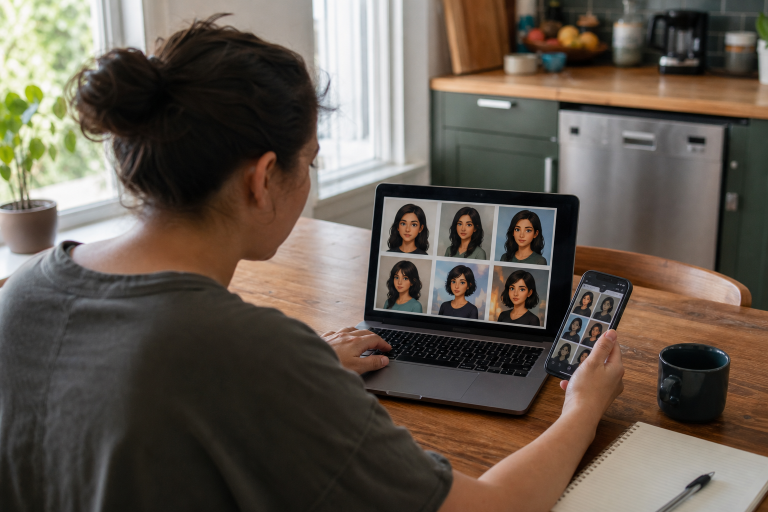
Your avatar is often the first visual cue people notice when they find you on a social network, community forum, creator page, messaging app, or gaming space. A clear avatar style makes that first impression easier to remember, even when the image appears as a tiny circle beside a comment or message. You do not need advanced illustration skills or a highly realistic portrait to create a useful identity system. A memoji generator can provide a quick starting point, but the most important decision is choosing a few visual traits that consistently represent you across platforms.
Why Avatar Style Matters
Online avatars appear in more places than ever, from workplace chat tools and video channels to hobby groups and virtual worlds. The broader history and use of digital avatars show how these images have become a familiar means of representing identity in digital communication. When the same visual signals appear repeatedly, people can recognize your profile faster and connect your posts, replies, and projects more easily. A strong avatar does not have to be photorealistic, expensive, or full of detail. In fact, a simple illustrated face, a distinctive color palette, or a consistent photo crop often works better at small sizes than a complicated image. The goal is instant recognition, not visual perfection.
Choose a Clear Visual Direction
Before making several versions, decide what your avatar should communicate. Start with one main mood, such as friendly, polished, playful, bold, minimal, creative, or futuristic. Trying to combine every possible feeling usually produces a design that feels unfocused.
Define the visual foundation.
- Choose two or three main colors that can appear in clothing, backgrounds, or accents.
- Pick a format: photo-based, flat illustration, cartoon, three-dimensional character, or abstract symbol.
- Match the tone to the account. A professional consultant may prefer calm colors and clean framing, while a gaming creator may use brighter contrast and a more expressive pose.
- Choose a background treatment, such as a solid color, soft gradient, simple room, or subtle pattern.
Write these choices down before generating or designing anything. A short style note prevents each new profile image from drifting into a completely different look.
Keep the Features That Make the Avatar Recognizable
Recognition comes from a small number of strong cues. Hair shape, glasses, facial hair, a favorite jacket color, a distinctive face outline, or a familiar expression can make an avatar feel personal. You do not need to preserve every tiny feature from a real photo.
- List the features people are most likely to notice first.
- Keep the two to four strongest identity cues in every version.
- Remove details that disappear when the image is reduced.
- Test the avatar as a circle, square, and phone-sized thumbnail.
If your avatar only looks recognizable when viewed full size, simplify it. Clear silhouettes, visible eyes, and strong color contrast matter more than elaborate textures or tiny accessories.
Adapt Your Style for Each Platform
Consistency does not mean uploading the same file everywhere. Keep the core identity, then adjust the crop, background, expression, and pose to suit the setting.
- Professional profiles: Use a calm expression, uncluttered background, and clean head-and-shoulders crop.
- Community forums: Use a stronger color field or clearer silhouette that stands out in fast-moving conversations.
- Video channels: Choose bolder shapes and higher contrast so the image remains visible in small thumbnails.
- Messaging apps: Use a close crop and one readable expression.
- Gaming and virtual spaces: Add more personality through clothing, props, or poses while retaining familiar facial and color cues.
Build a Small Avatar Set
One image is useful, but a small set gives you flexibility without weakening recognition. Build each variation from the same base face, palette, clothing cue, and illustration treatment.
- A neutral profile image for everyday use.
- A smiling version for welcoming posts and introductions.
- A speaking or presenting version for videos, newsletters, or educational content.
- A celebration version for launches, milestones, and announcements.
- A casual version for friendly community posts.
- A seasonal version for short campaigns, used sparingly so it still feels like you.
Protect Personal Privacy and Image Rights
Creating an avatar from a photo requires the same care as sharing the photo itself. Only use images you have permission to upload, especially when the subject is another person. Be cautious with children’s images, private family photos, and photos that reveal addresses, school names, identification cards, or other personal details. Review how any service handles uploaded files before using it. Keep a simple record of important source images, confirm consent where needed, and avoid making realistic avatars that could mislead others about someone’s identity. A stylized avatar can offer a useful layer of privacy, but it should not be used to impersonate a person.
Avoid Common Avatar Mistakes
- Changing the illustration style completely on every platform.
- Using too many colors or a background that competes with the face.
- Adding text that becomes unreadable in a small profile icon.
- Using a face with too much detail for the available space.
- Copying a popular aesthetic so closely that your personality disappears.
- Choosing a design that conflicts with the account’s tone or audience.
Use a Simple Creation Workflow
- Collect one or two clear reference images with good lighting.
- Identify the visual traits that must remain consistent.
- Select your mood, colors, format, and background approach.
- Create one simple base avatar first.
- Check it at full size and at thumbnail size.
- Create a few expressions and background variations.
- Export square, portrait, and landscape crops when needed.
- Save final files in a clearly labeled folder for easy reuse.
Review and Improve the Style
Do not judge an avatar only by likes or follower counts. Ask whether people recognize the account quickly, whether the image remains clear on different screens, and which details trusted viewers remember after seeing it. Compare profile visits or click-through activity before and after a major update if those metrics are available. An avatar supports your identity, but it cannot build trust alone. Your profile description, content quality, posting habits, and interactions with others all shape how people respond. Remove any feature that creates confusion, then refine the parts that make the image feel distinct and natural.
Final Checklist
- Does the avatar match the account’s purpose and tone?
- Can people recognize it at a small size?
- Are the key colors and identity cues consistent?
- Does each platform use the right crop and background?
- Do you have permission for every personal image used?
- Does the design feel personal rather than copied?
- Are the final files organized for future updates?
Conclusion
The best avatar style is clear, flexible, and respectful of personal identity. Start with one strong visual direction, preserve a few memorable traits, and create only the variations you will actually use. Keep colors, facial features, framing, and overall style consistent so the avatar remains recognizable across platforms. Consider where the image will appear, from small profile icons to larger social banners, and make sure important details remain visible at different sizes. A simple, consistent system will nearly always be more effective than a collection of unrelated profile images.
About the Author